
All of our top picks
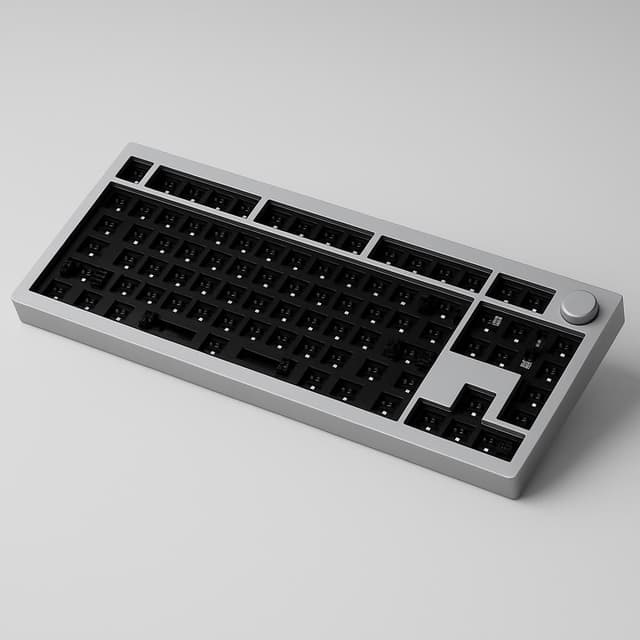
Best premium pre-built with wireless and QMK
The Keychron Q1 Pro is the gold-standard pre-built mechanical keyboard for programmers — full aluminum gasket-mount construction, native QMK/VIA firmware, tri-mode wireless, and hot-swappable switches at ~$170. Heavy and pricey, but unmatched typing comfort for daily coding.

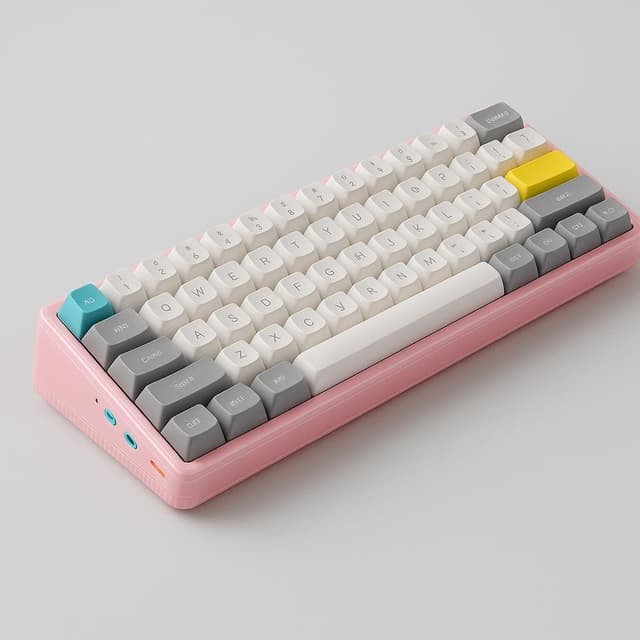
Best wireless multi-device QMK keyboard
The NuPhy Halo75 V2 is an exceptional value wireless mechanical keyboard for programmers, offering QMK/VIA native support, hot-swap, tri-mode connectivity (wired/2.4GHz/BT5.0), and premium aluminum gasket-mount build quality at ~$117 direct. Outstanding 307-hour battery life and genuine macOS support make it a standout multi-device productivity pick.
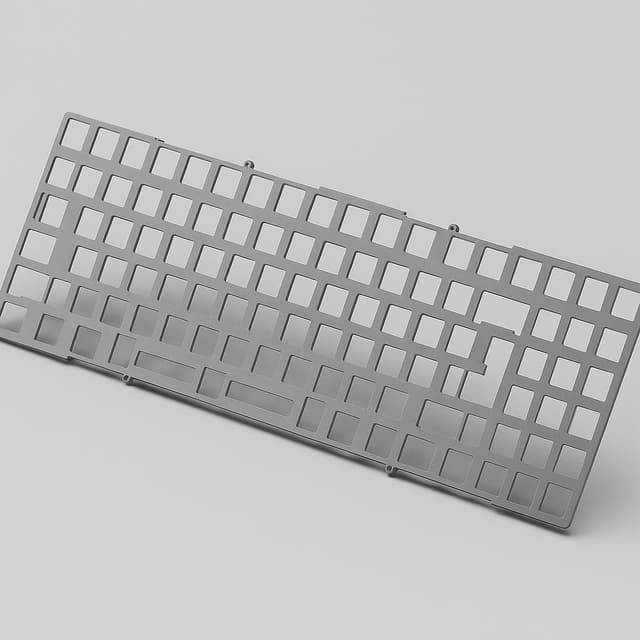
Best custom DIY kit for endgame builds
The KBDFans Tofu65 2.0 is a premium 65% custom keyboard kit with three interchangeable mounting styles, a flex-cut hot-swap PCB, and full QMK/VIA support — making it the top value pick for programmers who want a tunable, endgame-capable board and are comfortable with DIY assembly.
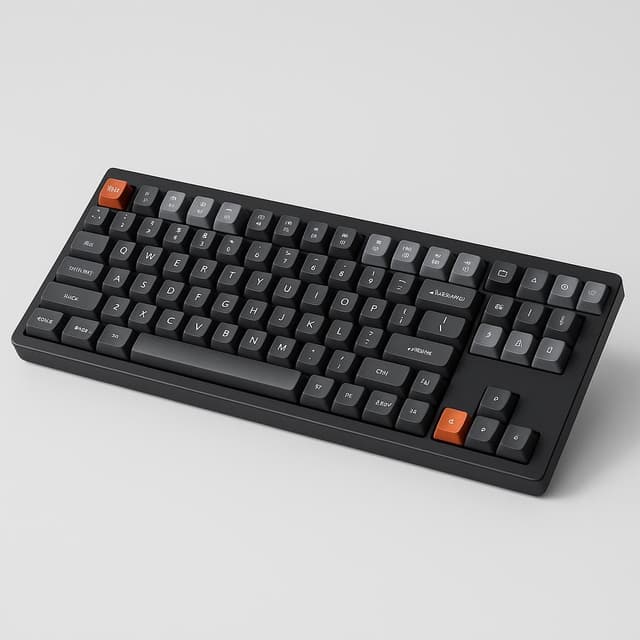
Best budget TKL with QMK and hot-swap
The Keychron V3 is the definitive budget enthusiast TKL for programmers, delivering QMK/VIA firmware, hot-swappable 5-pin PCB, and screw-in stabilizers at ~$55–$70 — the best value entry into the enthusiast keyboard tier for daily coding use.
Who this is for
This shortlist is for full-stack programmers who spend long days coding and want a tactile, hot-swappable mechanical keyboard in a compact form (TKL/75%/65%). You care about consistent tactile actuation, solid build quality such as aluminum cases and well-tuned stabilizers, hot-swap PCBs to try switches without soldering, and QMK/VIA support for deep remapping. We include budget (<$100), mid-range ($100–$200) and enthusiast ($200+) picks that balance typing feel and reasonable noise for shared or open-plan offices.
This guide is not for you if you prefer full-size 100% layouts that sacrifice desk space, membrane or rubber-dome keyboards, or boards with soldered-only switches and no hot-swap support. Also avoid products requiring mandatory cloud-connected proprietary software or those with documented PCB failures or QC defect reports in 2024–2025; those fall outside this shortlist's reliability and remapping standards.
How we picked the best
Our agents evaluated dozens of mechanical keyboards against the five factors that matter most to programmers who type 8+ hours a day, cross-referencing community rankings, expert reviews, and real-world durability data. Every keyboard in this report was scored on typing feel, build quality, hot-swap support, layout efficiency, and firmware openness — not just spec sheets.
Typing Experience
Tactile switch feel, actuation consistency, and sound profile are the primary differentiators when you're coding all day — a keyboard that feels precise and satisfying reduces fatigue and keeps your accuracy high across long sessions.
Build Quality
Aluminum or high-grade construction, PCB rigidity, and well-tuned stabilizers determine whether your keyboard holds up to years of daily use — flex, rattle, and wobble are dealbreakers for a serious daily driver.
Hot-Swap Support
A hot-swappable PCB lets you swap switches without soldering, so your keyboard evolves with your preferences instead of becoming obsolete the moment you want a different tactile feel.
Compact Layout
TKL, 75%, or 65% form factors free up meaningful desk space for a trackpad or secondary peripherals — without forcing you to sacrifice the keys you actually use while coding.
Firmware & Customization
QMK and VIA compatibility give you deep per-key remapping at the hardware level, letting you build a layout optimized for your exact workflow rather than settling for whatever the manufacturer ships.
Keychron Q1 Pro
The Keychron Q1 Pro is the gold-standard pre-built mechanical keyboard for programmers — full aluminum gasket-mount construction, native QMK/VIA firmware, tri-mode wireless, and hot-swappable switches at ~$170. Heavy and pricey, but unmatched typing comfort for daily coding.
 Top Pick
Best premium pre-built with wireless and QMK
Keychron Q1 Pro
Key specs
| Size | Compact |
| Brand | Keychron |
| Depth | 145.2 mm |
| Ports | USB-C |
| Width | 327.5 mm |
| Height | 3.58 cm |
| Layout | 75% |
| Series | Q1 Pro |
Highlights
- Native QMK/VIA support for full remapping and macros without proprietary software
- Double-gasket mount delivers bouncy, comfortable typing feel praised by heavy typists
- Full aluminum case with premium build quality and rigidity
- Tri-mode wireless (USB-C + 2.4GHz + Bluetooth 3-device) with 4,000 mAh battery (up to 300 hrs)
- Hot-swappable 5-pin sockets with broad switch compatibility
- Rotary knob for volume/media control
- Mac and Windows keycap sets included
Worth knowing
- Heavy at 3.8 lbs — not portable
- Expensive at $167–$220
- Wireless polling rate only 90 Hz (fine for typing, not gaming)
- KSA keycap profile limits aftermarket keycap options
- No wrist rest or adjustable tilt included
What people are saying
NuPhy Halo75 V2
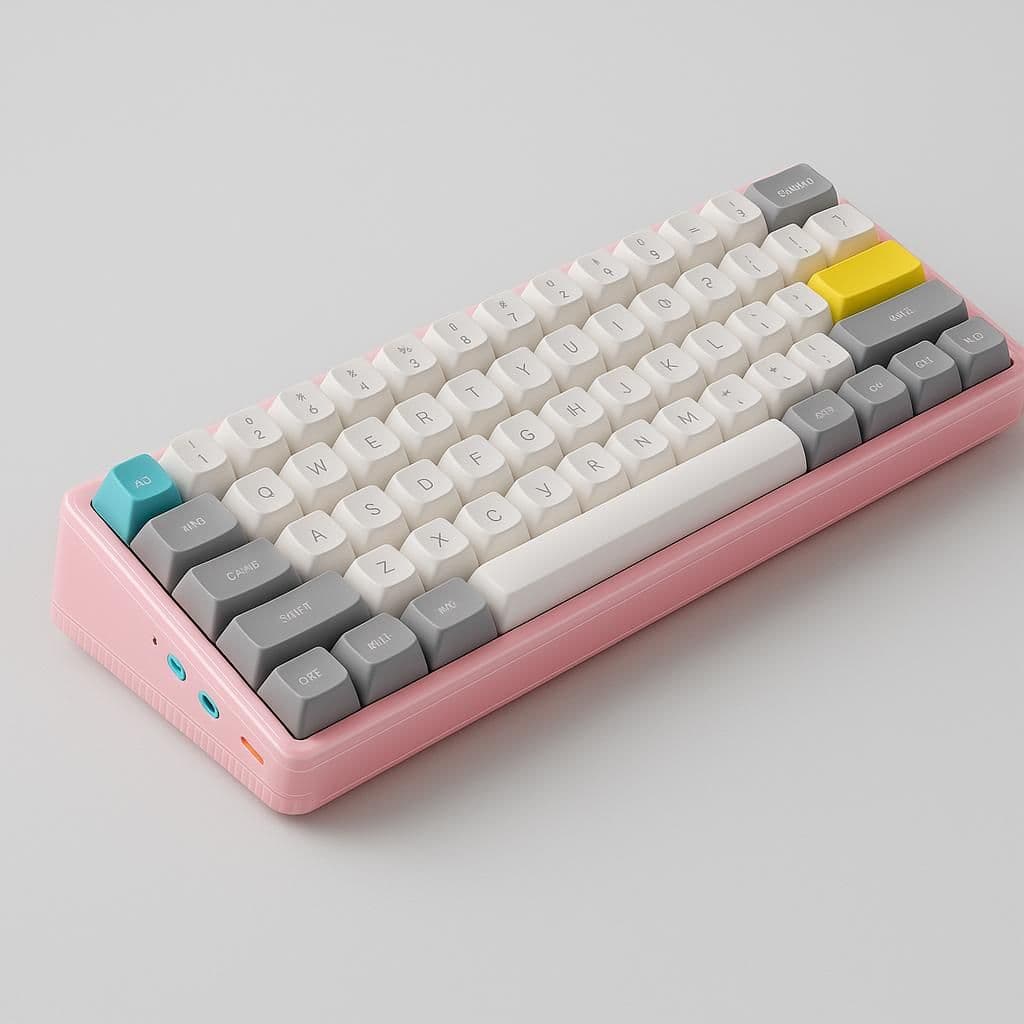
The NuPhy Halo75 V2 is an exceptional value wireless mechanical keyboard for programmers, offering QMK/VIA native support, hot-swap, tri-mode connectivity (wired/2.4GHz/BT5.0), and premium aluminum gasket-mount build quality at ~$117 direct. Outstanding 307-hour battery life and genuine macOS support make it a standout multi-device productivity pick.
Key specs
| Size | Compact |
| Brand | Nuphy |
| Depth | 13.5 cm |
| Mount | PCB Gasket Mount |
| Ports | USB-C |
| Style | Standard |
| Width | 320.0 mm |
| Height | 4 cm |
Highlights
- QMK/VIA native firmware — full remapping, macros, tap dance without proprietary software
- Tri-mode wireless (USB-C, 2.4GHz, Bluetooth 5.0) with up to 3 paired devices
- Exceptional battery life: up to 307 hours (lights off), 140–200 hours (homing bars)
- Hot-swappable 5-pin sockets for easy switch customization
- Aluminum top case with PCB gasket mount — premium feel at mid-range price
- 1000Hz polling rate with wired-like wireless latency
- Excellent macOS support with dedicated macOS keycaps and Dictation key
Worth knowing
- Bulky and heavy — not portable-friendly
- No dedicated media keys (function-layer access required)
- South-facing RGB makes legends hard to read in dark rooms
- No wrist rest included (sold separately)
- Finish scratches easily over time
- Difficult to disassemble for modding or servicing
What people are saying
“Sad that it is still in a plastic case. I have the V1 and it just feels so light and cheap compared to any of my other keyboards. It functions perfectly, i just hated how flimsy it felt.”
“God I want one so bad 🥲”
“What a beauty!”
KBDFans Tofu65 2.0
The KBDFans Tofu65 2.0 is a premium 65% custom keyboard kit with three interchangeable mounting styles, a flex-cut hot-swap PCB, and full QMK/VIA support — making it the top value pick for programmers who want a tunable, endgame-capable board and are comfortable with DIY assembly.
 Alternate Angle
Best custom DIY kit for endgame builds
KBDFans Tofu65 2.0
Key specs
| PCB | Hot-swap, 1.2mm flex-cut, USB-C daughterboard |
| Use | PC |
| Brand | Kbdfans |
| Layout | 65% (65 keys) |
| Weight | Brass weight bar (+180g), ~1.7kg assembled |
| Firmware | QMK / VIA native |
| Language | QWERTY |
| Use Case | PC |
Highlights
- Three mounting styles (top mount, silicone socks, silicone bowl) included in box for tunable typing feel
- Hot-swap flex-cut PCB with QMK/VIA native firmware for full remapping and macros
- CNC aluminum case with brass weight bar — premium build quality and long-term durability
- Compatible with all MX-style switches including Kailh Box, Gateron, Zealios V2
- Multiple plate material options (PC, aluminum, CF, FR4) for further sound/feel customization
- Community-endorsed as best-value custom kit on r/MechanicalKeyboards
Worth knowing
- Wired only — no Bluetooth or 2.4GHz wireless
- Requires DIY assembly (switches, stabilizers, keycaps sold separately)
- Total build cost can exceed $300+ when fully configured
- Not suitable for plug-and-play users unfamiliar with keyboard building
What people are saying
Keychron V3
The Keychron V3 is the definitive budget enthusiast TKL for programmers, delivering QMK/VIA firmware, hot-swappable 5-pin PCB, and screw-in stabilizers at ~$55–$70 — the best value entry into the enthusiast keyboard tier for daily coding use.
 Worth a look
Best budget TKL with QMK and hot-swap
Keychron V3
Key specs
| Use | PC |
| Size | TKL (80%) layout |
| Brand | Keychron |
| Depth | 14.05 cm |
| Ports | USB-C |
| Width | 140.56 mm |
| Height | 26.83 mm (back height, without keycaps) |
| Layout | TKL (80%) layout |
Highlights
- QMK/VIA native firmware — full remapping and macro layers without proprietary software
- Hot-swappable 5-pin PCB with broad switch compatibility
- Screw-in stabilizers out of box — rare at this price point
- TKL layout retains function row and arrow keys in compact footprint
- Doubleshot PBT keycaps with durable, shine-resistant legends
- Mac + Windows dual-OS support with included keycap sets
- Wireless variant available with Bluetooth 5.1 + 2.4GHz
Worth knowing
- ABS plastic case — less premium acoustics vs aluminum alternatives
- Steel plate mount (not gasket) — firmer, less cushioned typing feel
- South-facing RGB limits aftermarket shine-through keycap compatibility
- OSA keycap profile requires adjustment for users accustomed to Cherry/OEM
- Base model is wired-only; wireless requires purchasing separate variant
What people are saying
“I have been using the K3 V3 for more than 5 months now and I can say that it is quieter than a regular mechanical keyboard... Overall, doesn't feel like a cheap and it's an excellent size.”
“Both are really quiet compared to traditional mechanical keyboards. You really have to try them out yourself to see if you like it. It also depends on your use case. If you are using it in a library then of cause they are going to sound loud as compared to using this in a Star Bucks.”
“Just be prepared that it may not work out of the box (a lot depends on the computer side, not only the keyboard). But it is possible to make it work perfectly. You may have to spend money on extra hardware. And/or configure, install, or upgrade software.”
Notable mentions
Glorious GMMK Pro
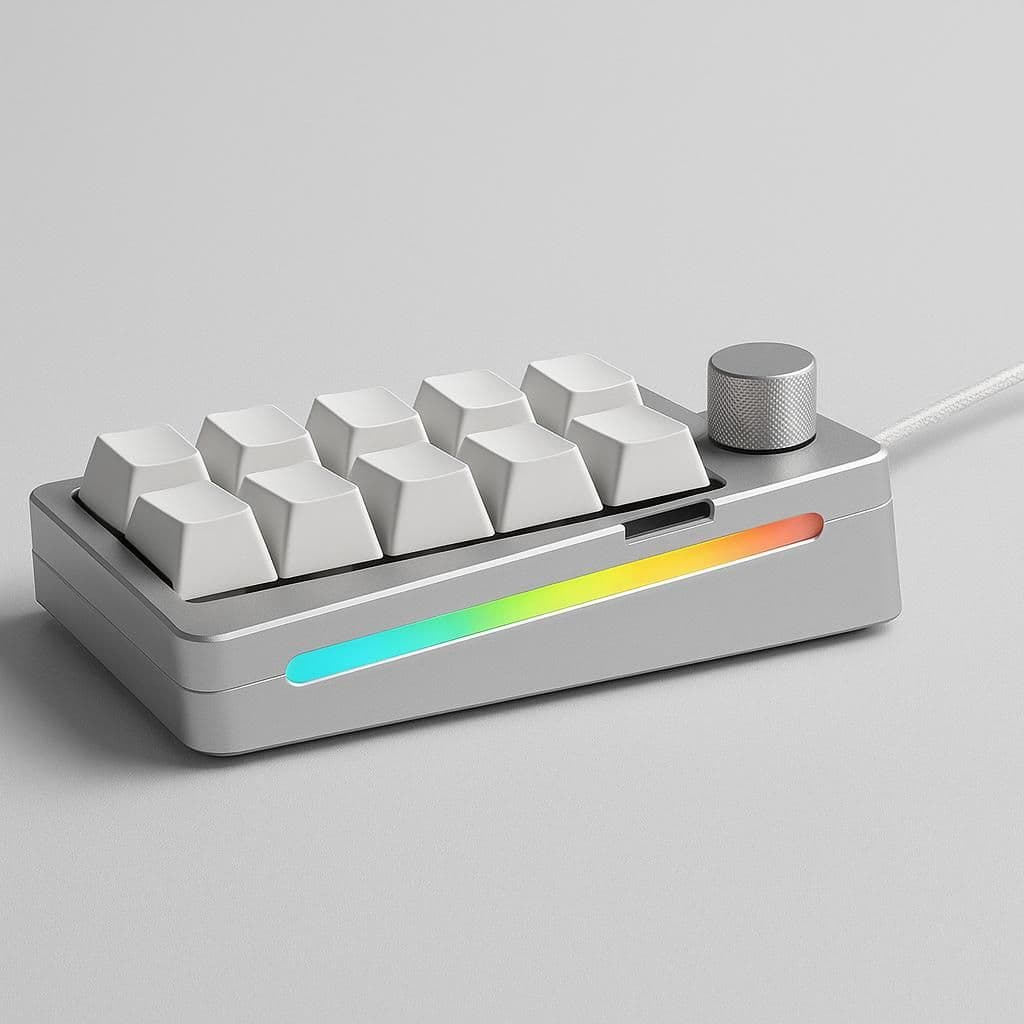
The Glorious GMMK Pro is a premium 75% aluminum mechanical keyboard and legendary modding platform with hot-swap PCB, QMK/VIA support, and a programmable rotary knob — ideal for enthusiast programmers who want full customization at an accessible price point.
- CNC machined aluminum chassis delivers exceptional build quality and rigidity
- Hot-swappable PCB with QMK/VIA native support for full remapping and macros
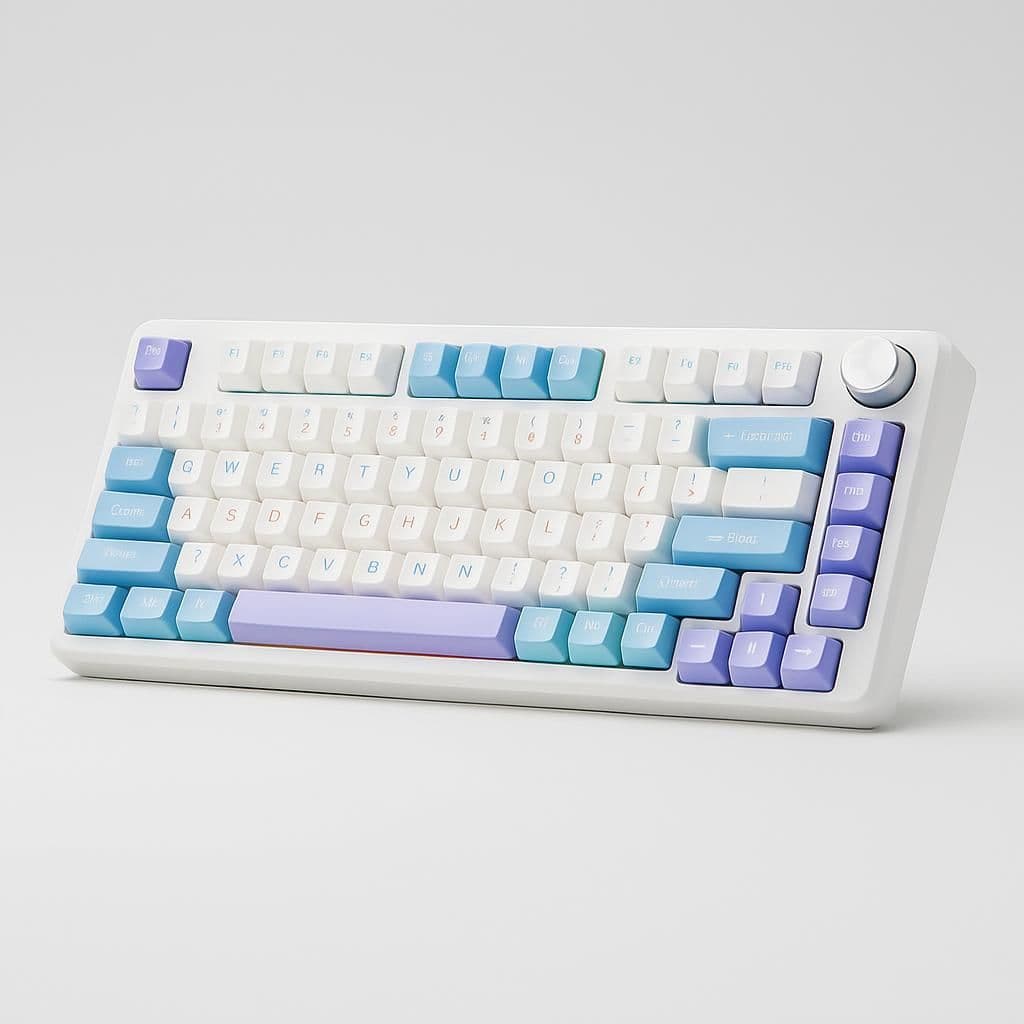
AULA F75
The AULA F75 is an impressive budget 75% keyboard with gasket-mount feel, tri-mode wireless, and hot-swap support at ~$50–$65, but is held back by notable QC inconsistency, Windows-only proprietary software (no QMK/VIA), and a cheap plastic case with deck flex — making it a risky choice for programmers who need daily reliability and deep remapping.
- Gasket-mount design delivers soft, springy typing feel at a budget price
- Tri-mode connectivity: USB-C, 2.4GHz, Bluetooth 5.0 (3 devices)


AULA F99
Walmart — $83Key spec comparison
How the top 4 compare
Relative scores across the dimensions that mattered most for this search.
Keychron Q1 Pro
NuPhy Halo75 V2
KBDFans Tofu65 2.0
Keychron V3
What to know before buying
Which mechanical keyboard has the best typing feel for long coding sessions?
The Keychron Q1 Pro delivers the best typing feel for programmers, scoring 97/100 for typing experience. Its double-gasket aluminum build absorbs keystroke impact in a way the community describes as 'built like a tungsten sculpture.'
Keychron Q1 Pro vs NuPhy Halo75 V2 — which is better for programmers?
The Keychron Q1 Pro wins on typing feel and build quality (97 and 98/100 vs 90 and 85/100), but the NuPhy Halo75 V2 is the better pick if you work across multiple machines — its 307-hour battery and 98/100 wireless score are class-leading.
Is the Keychron Q1 Pro too heavy to use as a daily driver?
The Keychron Q1 Pro is heavy at 3.8 lbs and is not portable, but it excels as a desk-bound daily driver. If portability matters, the KBDFans Tofu65 2.0 offers a more compact 65% layout with a 92/100 form-factor score.
Do any of these keyboards support QMK and VIA for key remapping?
Yes — the Keychron Q1 Pro, NuPhy Halo75 V2, KBDFans Tofu65 2.0, and Keychron V3 all score 95/100 or higher for firmware customization with full QMK/VIA support out of the box.
Is the Keychron V3 good enough for programming or is it too budget?
The Keychron V3 is a strong budget pick at under $70, scoring 95/100 for firmware customization and 93/100 for hot-swap support. Its main caveat is a plastic case and steel plate mount that produce a firmer, less premium typing feel than the Keychron Q1 Pro.
Skip this one
Not worth it
AULA F75
The AULA F75 is an impressive budget 75% keyboard with gasket-mount feel, tri-mode wireless, and hot-swap support at ~$50–$65, but is held back by notable QC inconsistency, Windows-only proprietary software (no QMK/VIA), and a cheap plastic case with deck flex — making it a risky choice for programmers who need daily reliability and deep remapping.
- Significant QC inconsistency: double letters, spacebar misfiring, key chatter reported
- No QMK/VIA support — proprietary Windows-only software with limited remapping
- Plastic case with notable deck flex; cheap-feeling build
- Inconsistent and confusing retail documentation (RTINGS flagged as deal-breaker)
Related reports


Sources reviewed
367 sources checked across 24 products. Showing non-retail research links from the canonical report payload.
Official pages
- AULA Official Store (aulagaming.com)
- Newegg.com - EPOMAKER Official Store (newegg.com)
- Newegg.com - EPOMAKER Official Store (newegg.com)
- Newegg.com - Womier Official Keyboard Shop (newegg.com)
- Official product page (keychron.com)
- Official product page (nuphy.com)
- Official product page (kbdfans.com)
- Official product page (keychron.com)
- Official product page (gloriousgaming.com)
- Official product page (aulagaming.com)
- Official product page (aulagear.com)
- Official product page (epomaker.com)
- Official product page (modedesigns.com)
- Official product page (duckychannel.com.tw)
- Official product page (rkgamingstore.com)
- Official product page (weikav.com)
- Official product page (akkogear.com)
- Official product page (en.akkogear.com)
- Official product page (nuphy.com)
- Official product page (lemokey.com)
- Official product page (modedesigns.com)
- Official product page (iqunix.store)
- Official product page (qwertykeys.com)
- Official product page (monsgeek.com)
- Official product page (gloriousgaming.com)
- Official product page (keychron.com)
- Retailer product page (rkgamingstore.com)
- Retailer product page (womierkeyboard.com)
Videos and social
- 🎵Let Cymatics keycaps sing on your Halo75 V2! Each key ... (instagram.com)
- After using the Keychron Q1 Pro for two ... (instagram.com)
- aula f75 ִֶָ. ..𓂃 ࣪ ִֶָ🪽་༘࿐ little desk update with my ... (instagram.com)
- Aula F75 2+ years later. Still good in 2026 (instagram.com)
- Aula F75 Wireless Mechanical Keyboard It's been a while ... (instagram.com)
- Boost your productivity with Halo75 V2, designed for ... (instagram.com)
- Building and Reviewing the GMMK Pro Custom Mechanical ... (tiktok.com)
- Custom Tofu65 Acrylic RGB Keyboard Case | Desk Setup (tiktok.com)
- FOR A COMFORTABLE TYPING EXPERIENCE. Keychron V3 ... (instagram.com)
- Glorious 75% Keyboard Features and Key Caps Review (tiktok.com)
- GLORIOUS Gaming GMMK PRO 75% Barebones (solo ...) (instagram.com)
- Glorious GMBK 75% Keyboard Review with RGB Keycaps (tiktok.com)
- Glorious GMBK 75% Keyboard Review with RGB Keycaps (tiktok.com)
- Glorious GMMK Pro Barebones 75% board, switched stock stabs ... (instagram.com)
Showing 42 research links; 255 additional non-retail links remain in the source data.